SSO SAML configuration
A feature that allows firm users to login via their Identity provider's single sign-on for a more secured and seamless login experience.
✤
2025 • Clio • Lead designer • Web
Role: Design lead
Design timeline: May - Sep 2025
Team: 6 developers, 1 PM, 3 GTM
Platform: Web
The Problem Space
Mid-market and enterprise law firms need SSO but Clio's implementation was effectively invisible to customers. Customers had to file support tickets to request SAML SSO and engineering manually enabled each configuration. Furthermore, there's no visibility into authentication status for customers or internal teams. This wasn't just a UX gap. It was a platform limitation blocking revenue and creating operational drag.
Outcomes
Business impact
- #1 conversion driver from Essential to Advanced tier as identified by PLG team
- Steady increase in feature adoption week by week
- Zero setup-related support tickets since launch
Quality signal
The only inbound requests are feature expansion asks—providers we already support through our Custom flow. This tells us two things: the feature is working, and customers want more of it.
Honestly, one of the best onboarding experiences I've seen. The process is exceptionally clear and well-structured. It would be straightforward even for someone without experience in federation/SSO/SAML.
Firm admin
Honestly, one of the best onboarding experiences I've seen. The process is exceptionally clear and well-structured. It would be straightforward even for someone without experience in federation/SSO/SAML.
Firm admin

Simplified edit state allows admin to make necessary changes as quick and easy as possible.
✦
My design strategy

Principle 1: Guided experience
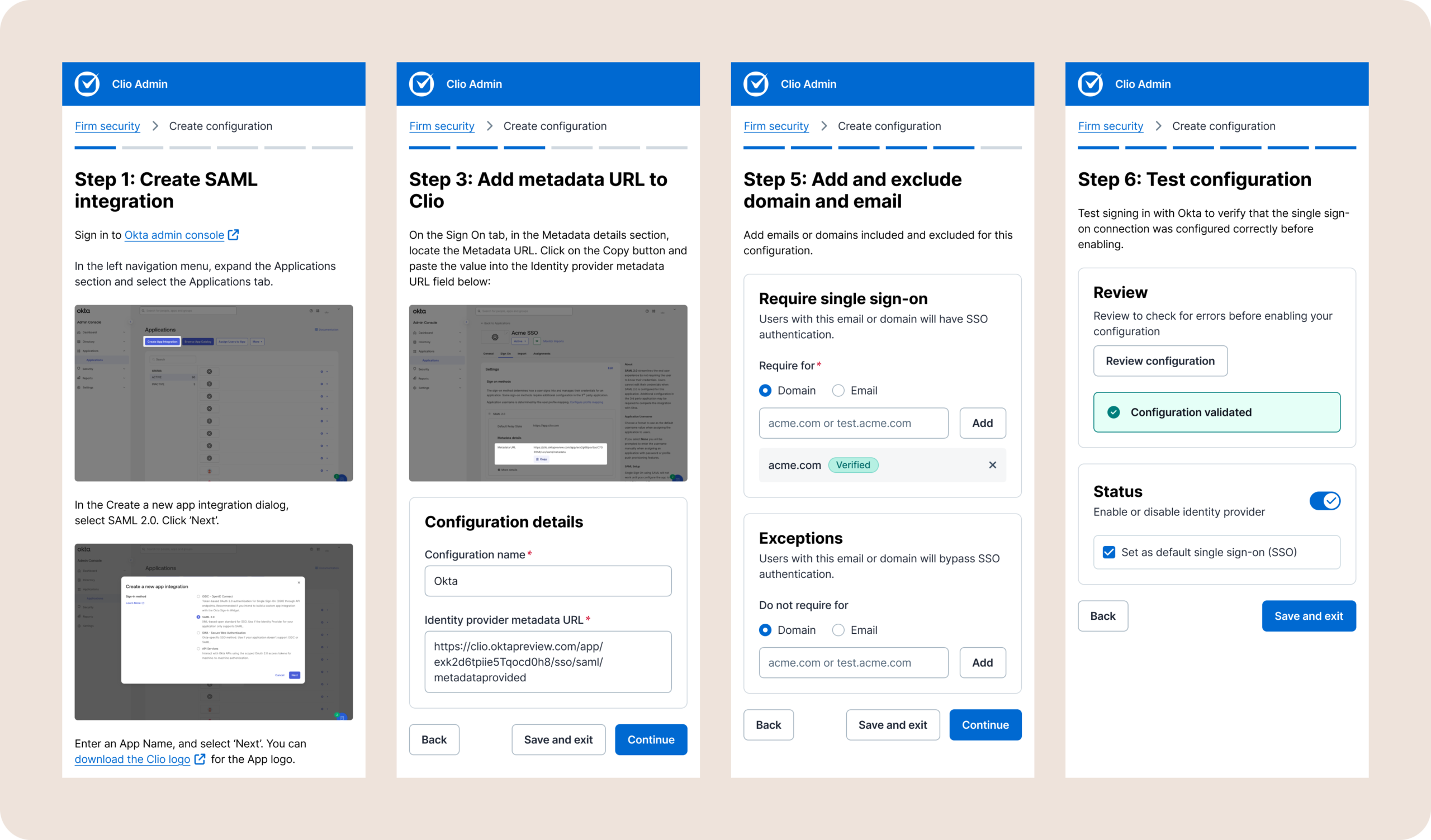
Firms need to configure SSO independently, but they also need enough scaffolding to do it correctly. I built provider-specific flows for the most common IdPs (based on PM research + customer data), with a Custom flow for everything else. Each flow includes contextual instructions and inline validation just enough to orient without overwhelming.

Principle 2: Flexible configuration
Real-world identity requirements are complex. Some firms want domain-wide enforcement while others need email-level exceptions for contractors or partners.
I designed inclusion and exclusion rules that work at both levels, with subdomain support for staging environments — a pattern I discovered during research when admins mentioned needing to test configurations before rolling them out firm-wide.

Principle 3: Error prevention as a feature
Admins can only enable SSO after running a "Test configuration" check. This forces validation before anything goes live. I also restricted user selection to existing firm members only which eliminates the risk of unauthorized access through typos or misconfigurations.
❈
Key design decisions
Flexible flows
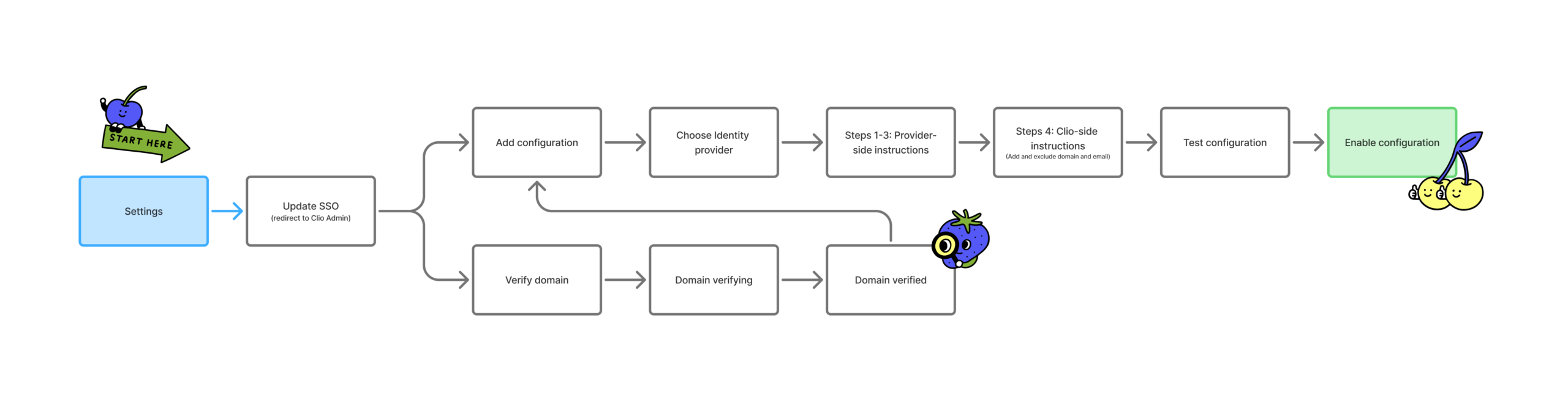
I designed the flow to support 2 order of operations where the admin may choose to verify their domain first then configure SSO, and vice versa. Both lead to the same outcome, but the system doesn't force a single correct order.
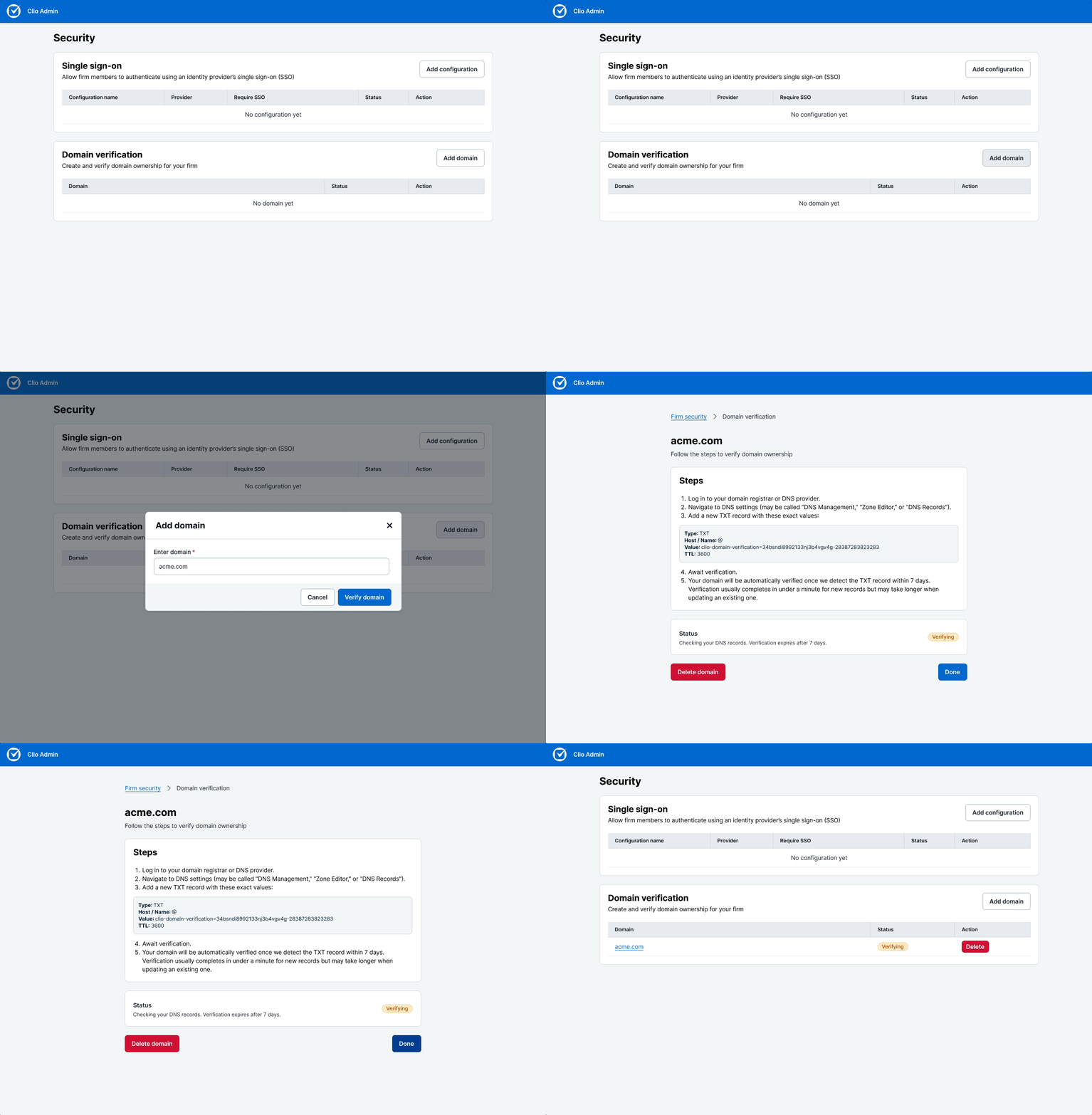
Admins may choose to verify their domain first before adding a configuration
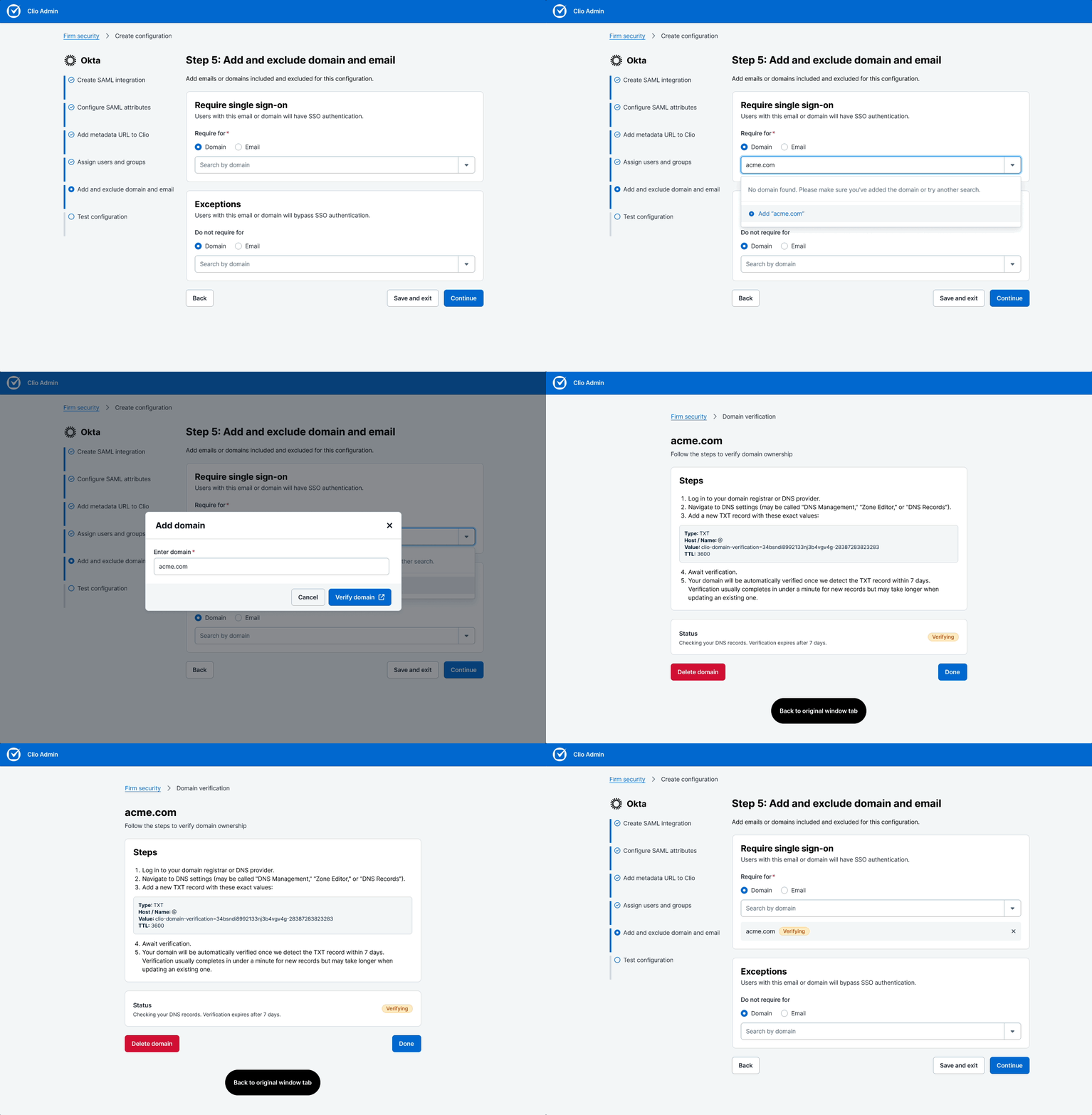
Admins may choose to add a configuration and verify a domain in the process
Provider selection and guided flow
I created dedicated flows for the most common identity providers, with a Custom option for everything else. Each provider flow includes specific metadata requirements and contextual help.
For scalability and minimal build effort, I modularized and templatized the steps so it stays consistent and familiar regardless of the provider. This allows us to easily add more providers in the future.
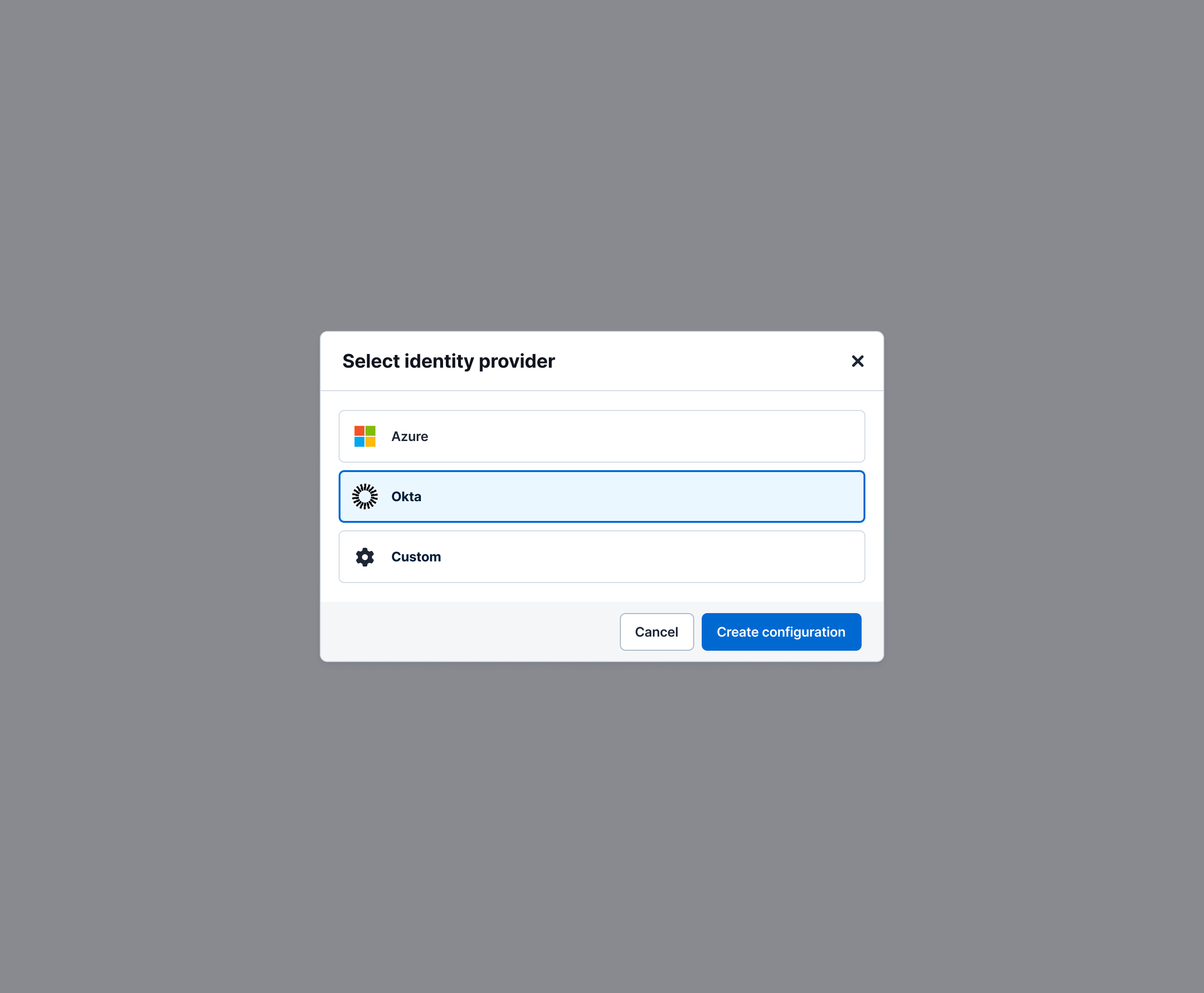
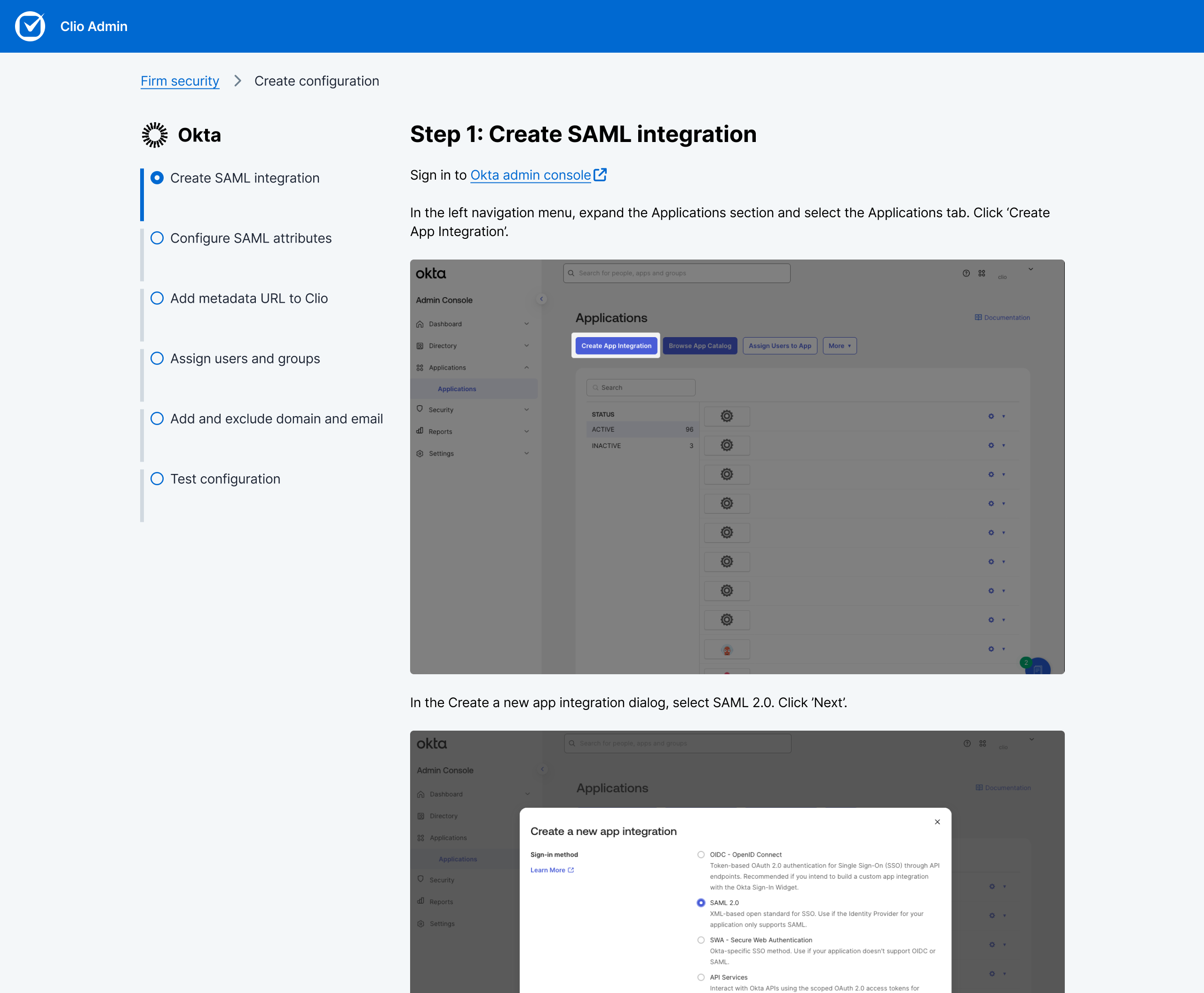
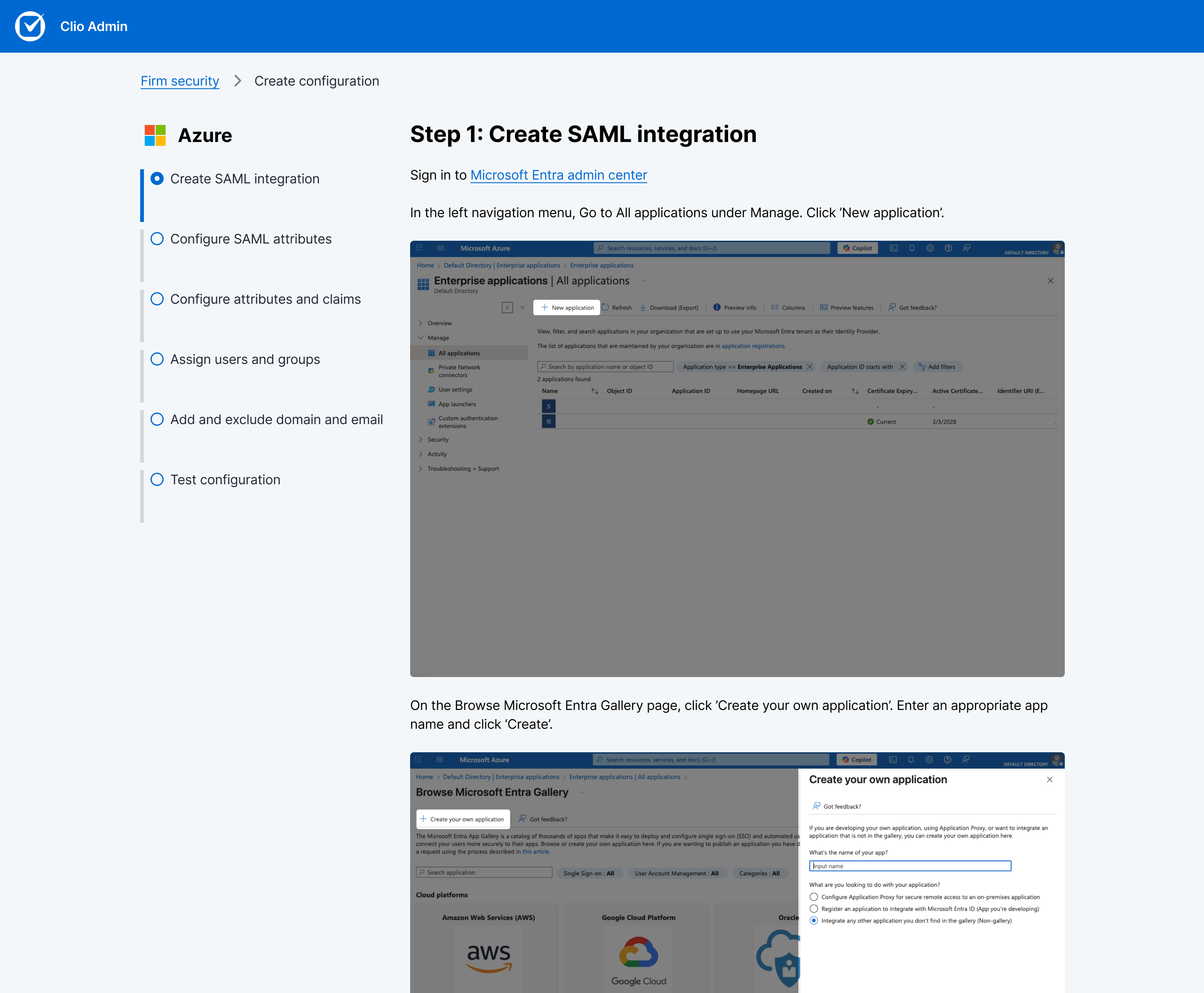
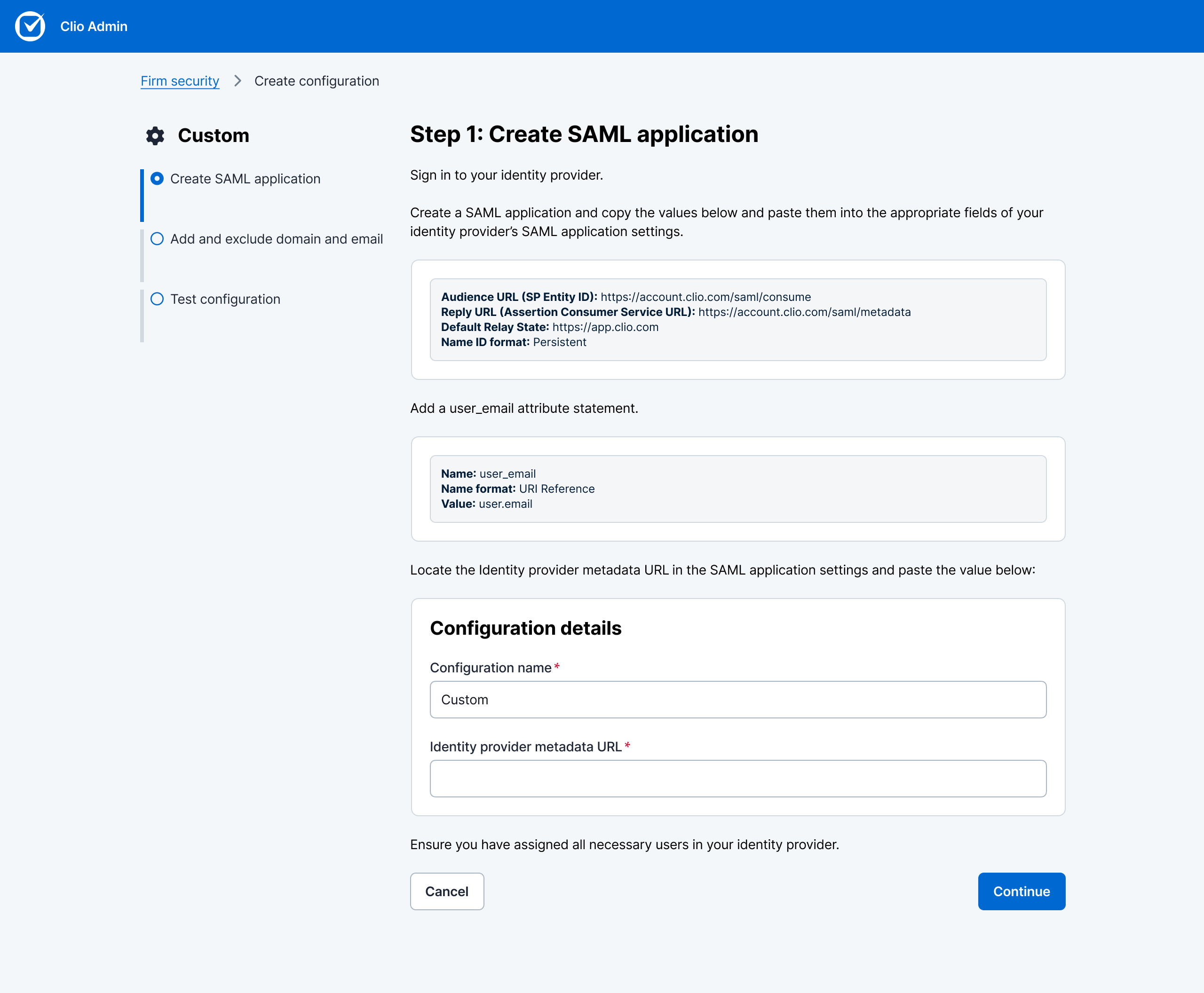
Provider-specific flows reduce cognitive load by only showing relevant fields. Okta users see Okta-specific guidance; Azure users see Azure-specific guidance.
Configuration rules that match reality
Inclusion and exclusion rules let admins define SSO at domain or email level. This handles real-world complexity: firm-wide enforcement with exceptions for specific roles, contractors, or testing subdomains. Subdomain support enables safe testing before firm-wide rollout.
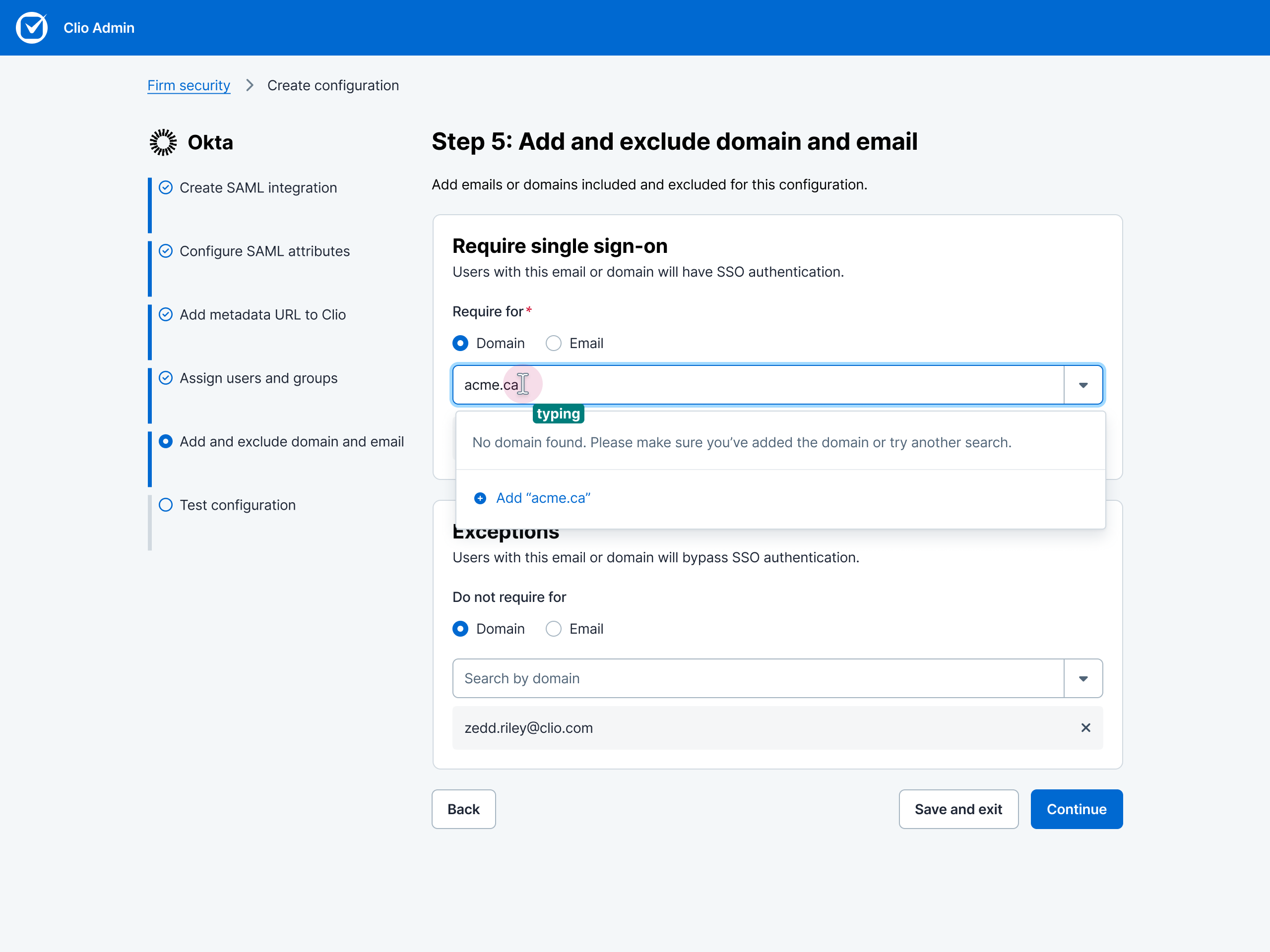
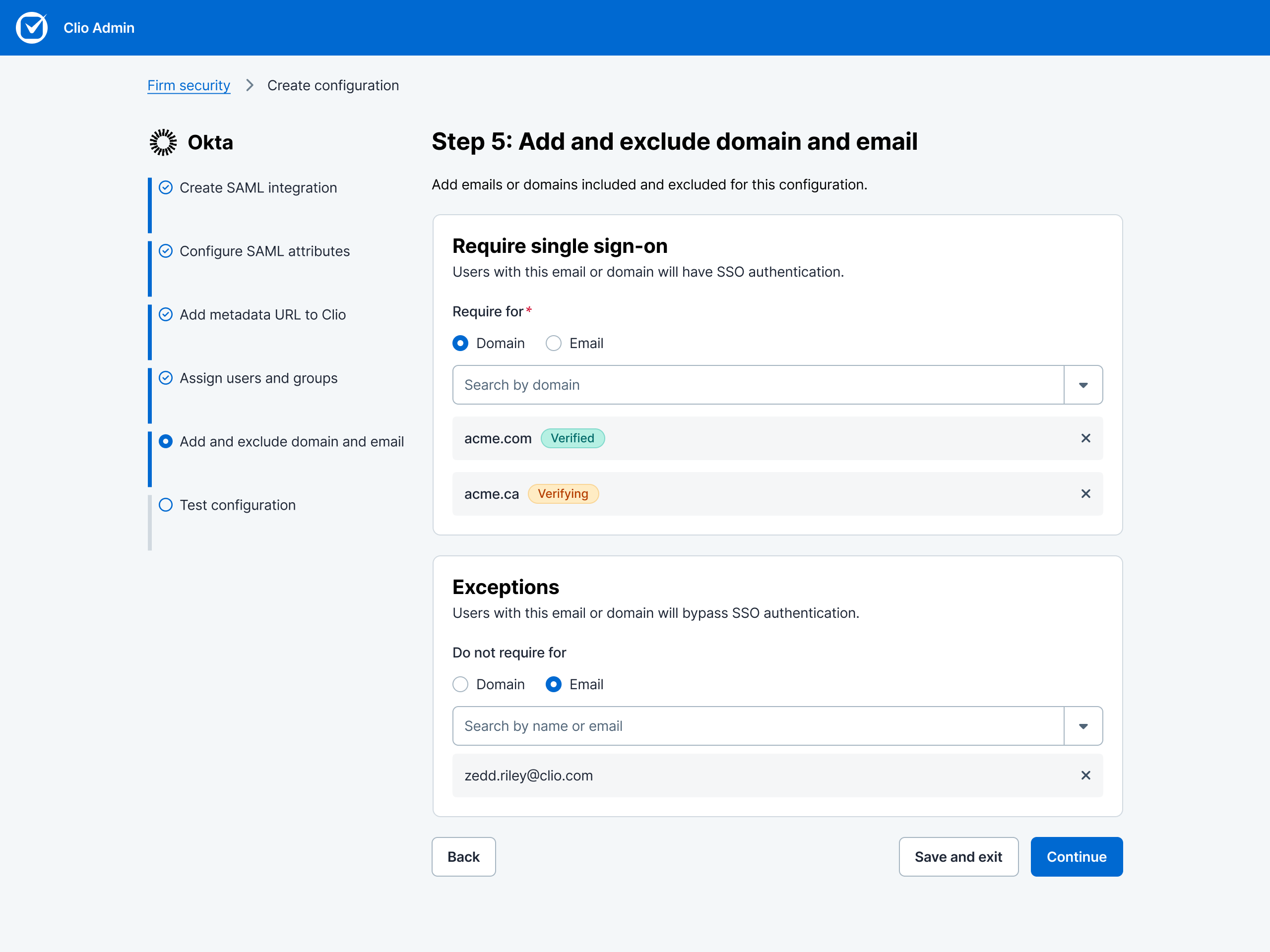
Flexible security controls that adapt to firm structure. Admins can enforce SSO at the domain level while creating exceptions for specific emails or vice versa.
Test configuration before enablement
Admins must successfully test their configuration before enabling SSO. This prevents broken authentication states and eliminates "I configured it but it doesn't work" support scenarios.
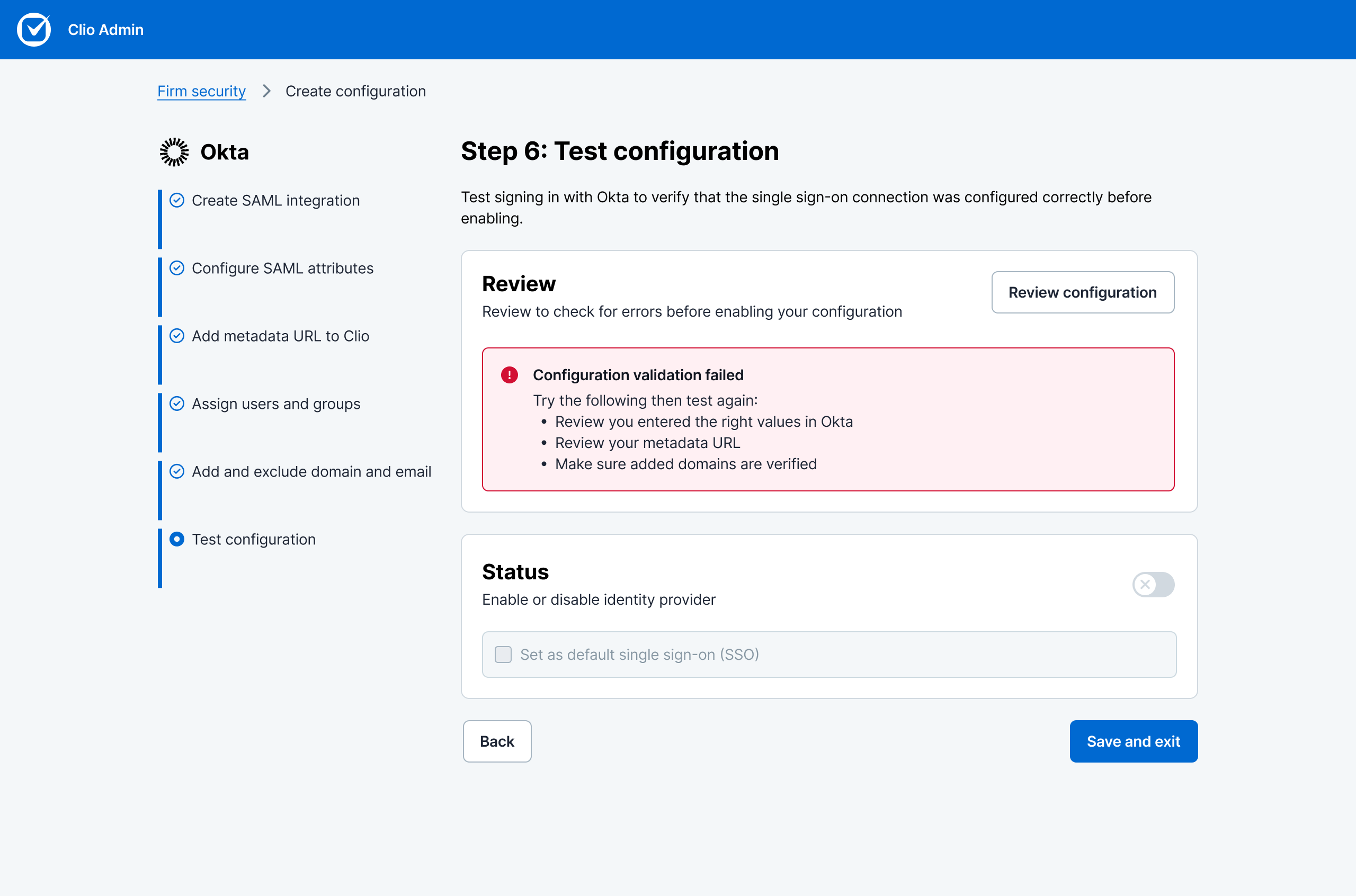
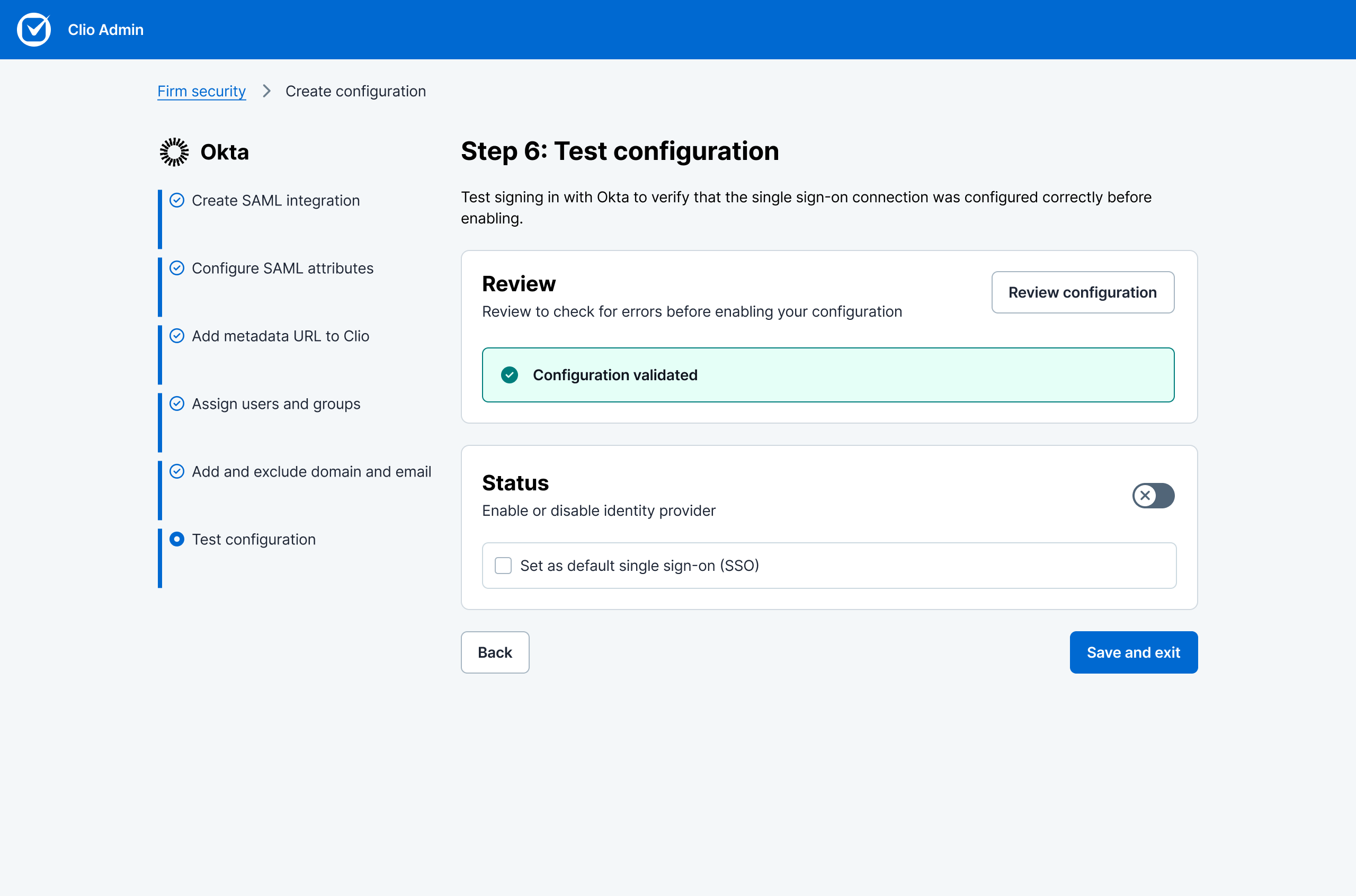
Test Configuration is required. The system validates all fields and connectivity before allowing enablement. Clear success and error states help admins troubleshoot without contacting support.
Simplified Edit state
When editing an existing configuration, I collapsed the view to show only what matters: the metadata (for review) and editable fields. Everything else is noise. This reduces cognitive load and makes it faster to confirm or adjust settings.
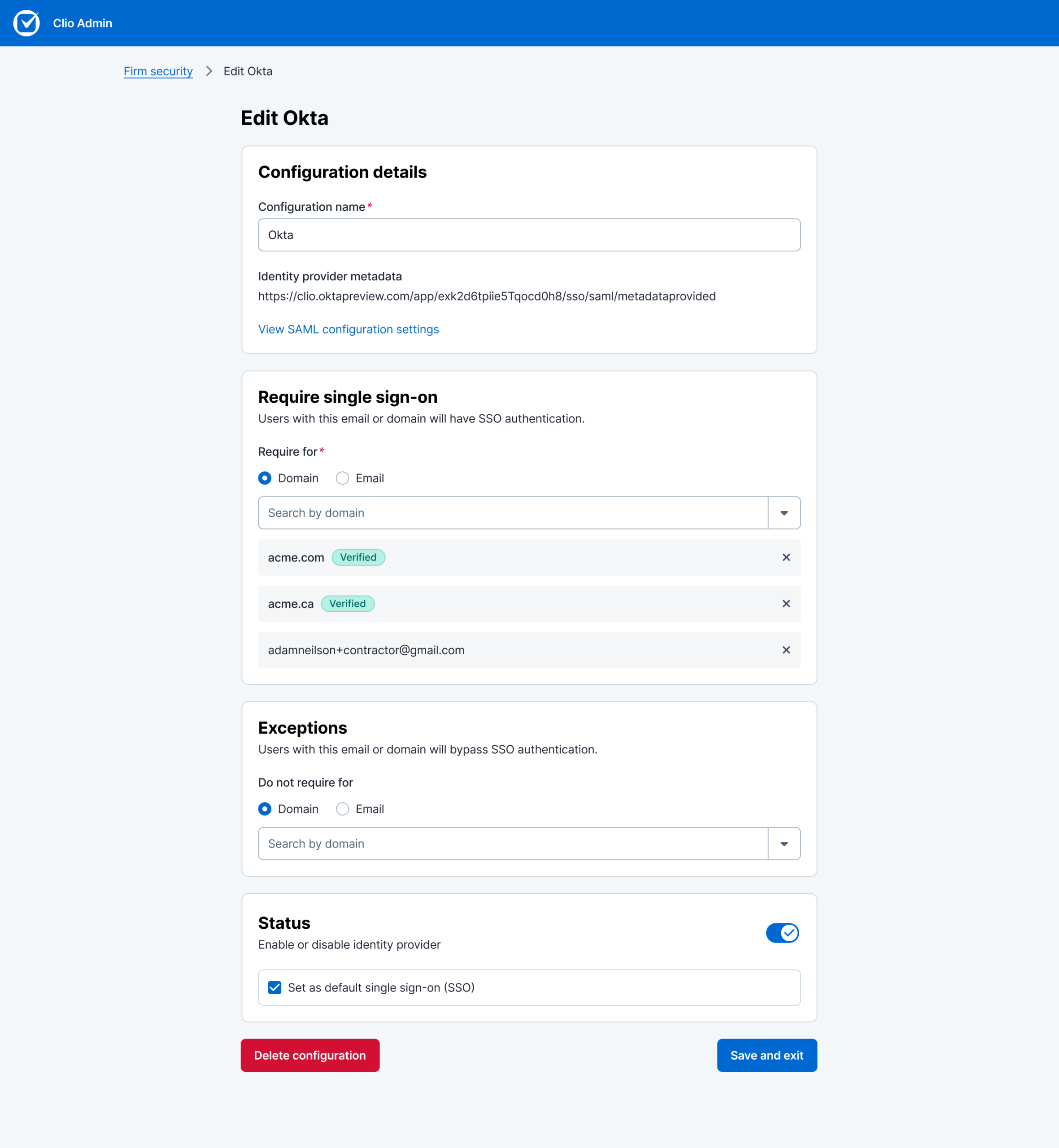
Edit mode strips away instructional content and non-editable context. What remains: the metadata you need to review and the fields you can change. Less scanning, faster edits.
Intentional guardrails
Deleting or disabling an SSO configuration is high-stakes. I added confirmation modals and smart defaults: if you delete the active config, the system auto-promotes the next available one. No orphaned states, no silent failures.
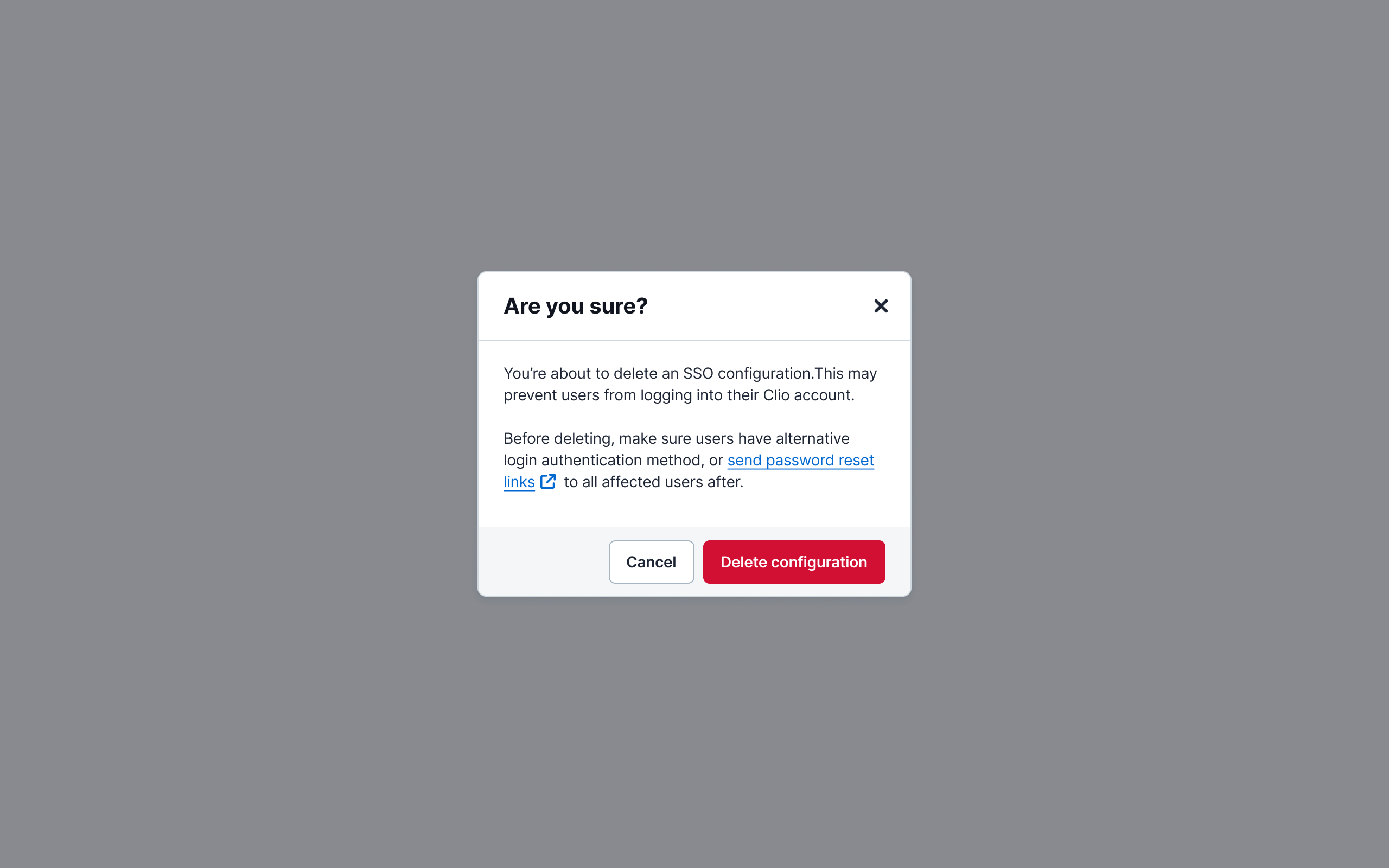
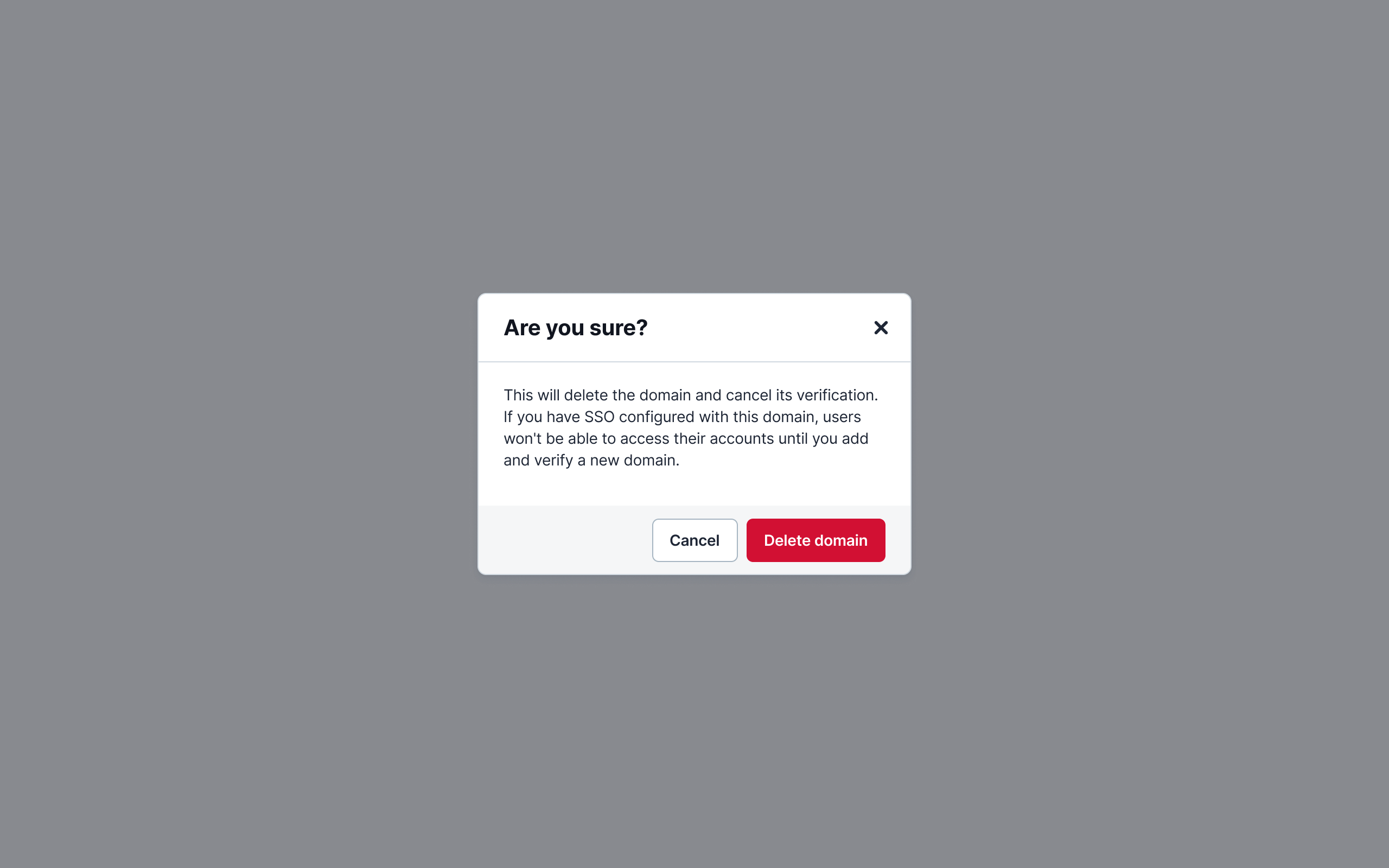
High-stakes actions require explicit confirmation. When deleting the default SSO config, the system automatically promotes the next available configuration, preventing login lockouts.
Updated user management table
Admins can validate their configuration at a glance by seeing which firm users are covered and not covered by SSO.
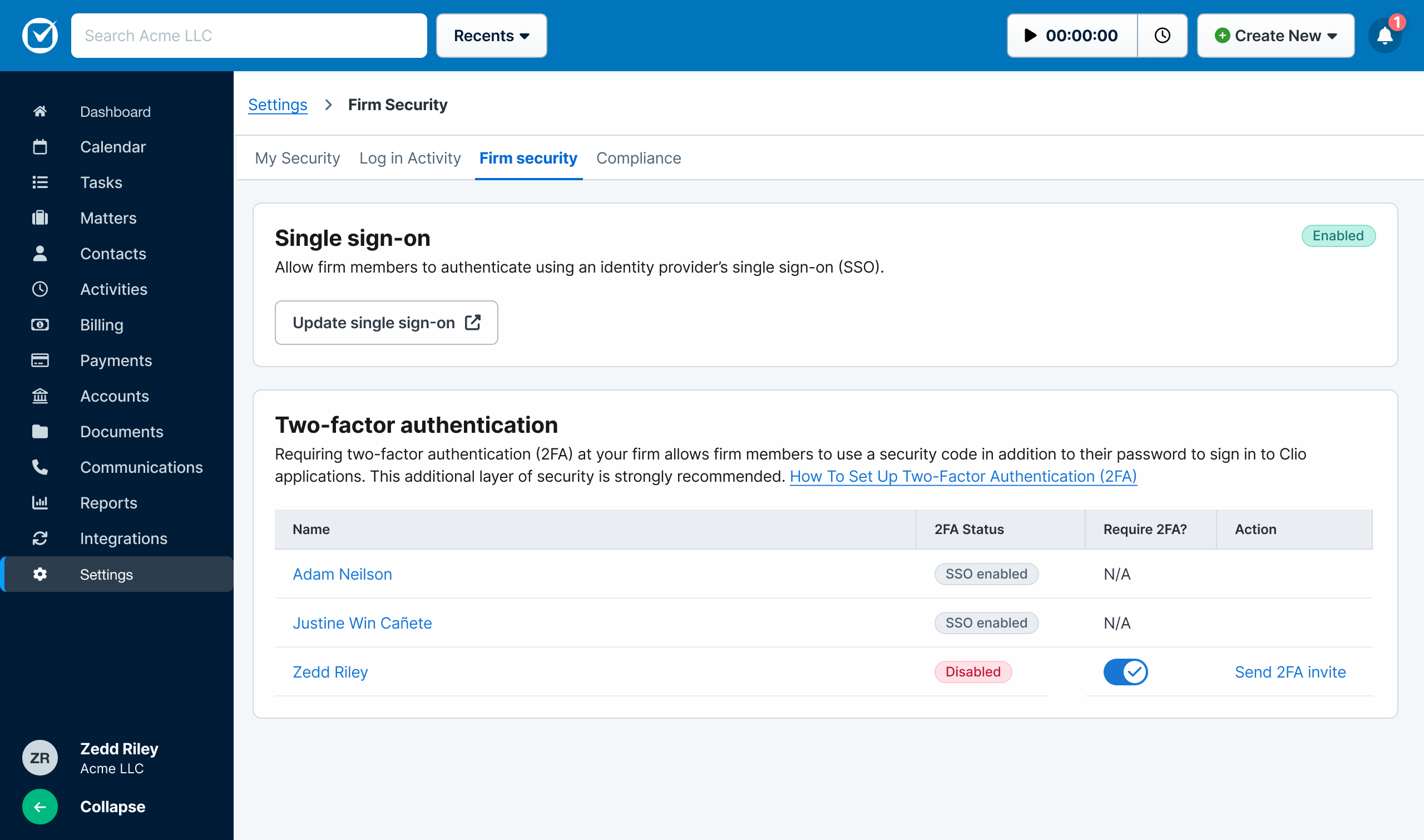
At-a-glance, admins can see which users are covered by SSO and which aren't to confirm the correctness of their configuration.
Pilot launch improvements
We continued monitoring issues and requests that arise during the pilot and made improvements to the following: domain verification failures, report incorrect images, support for XML file uploads.
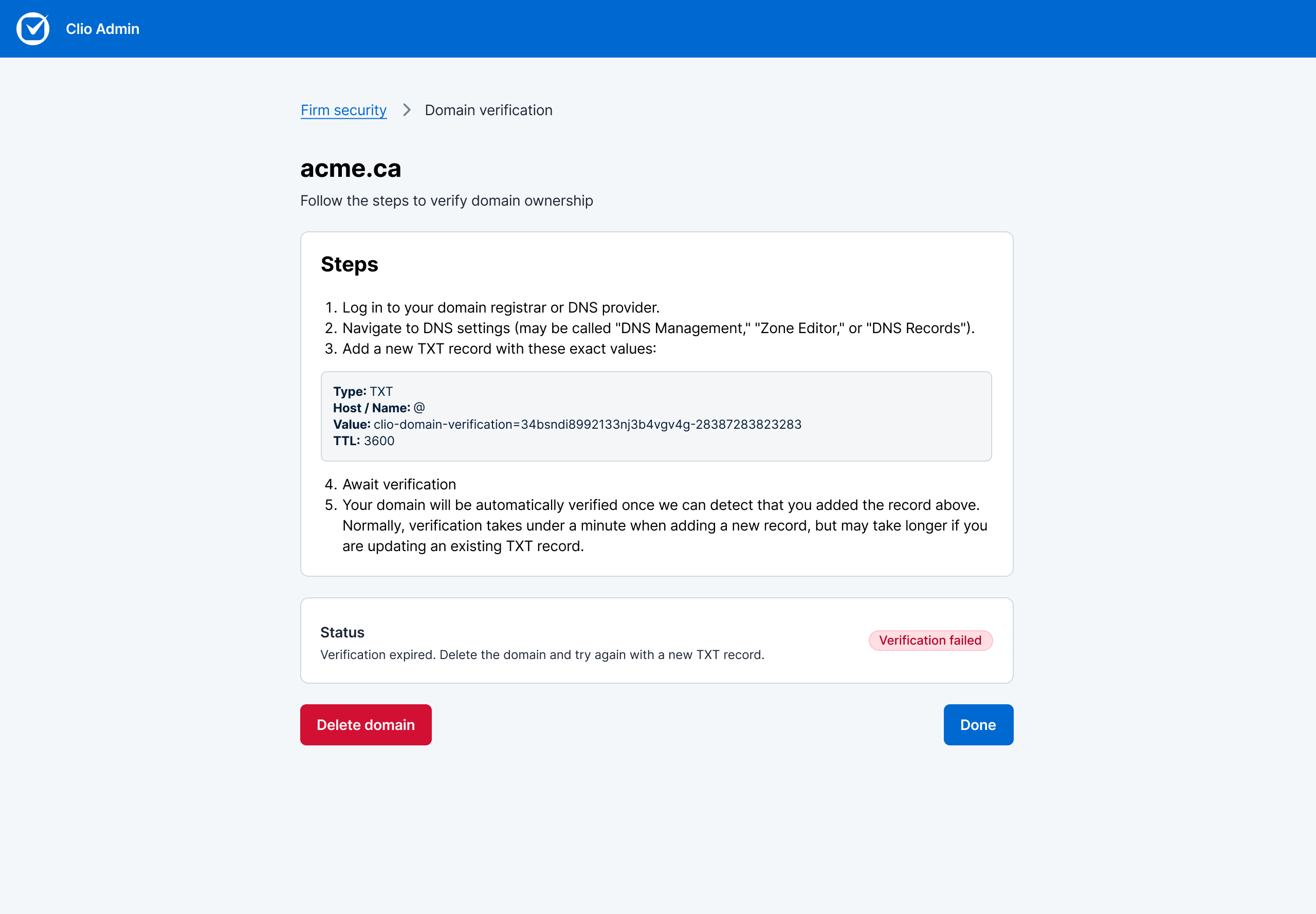
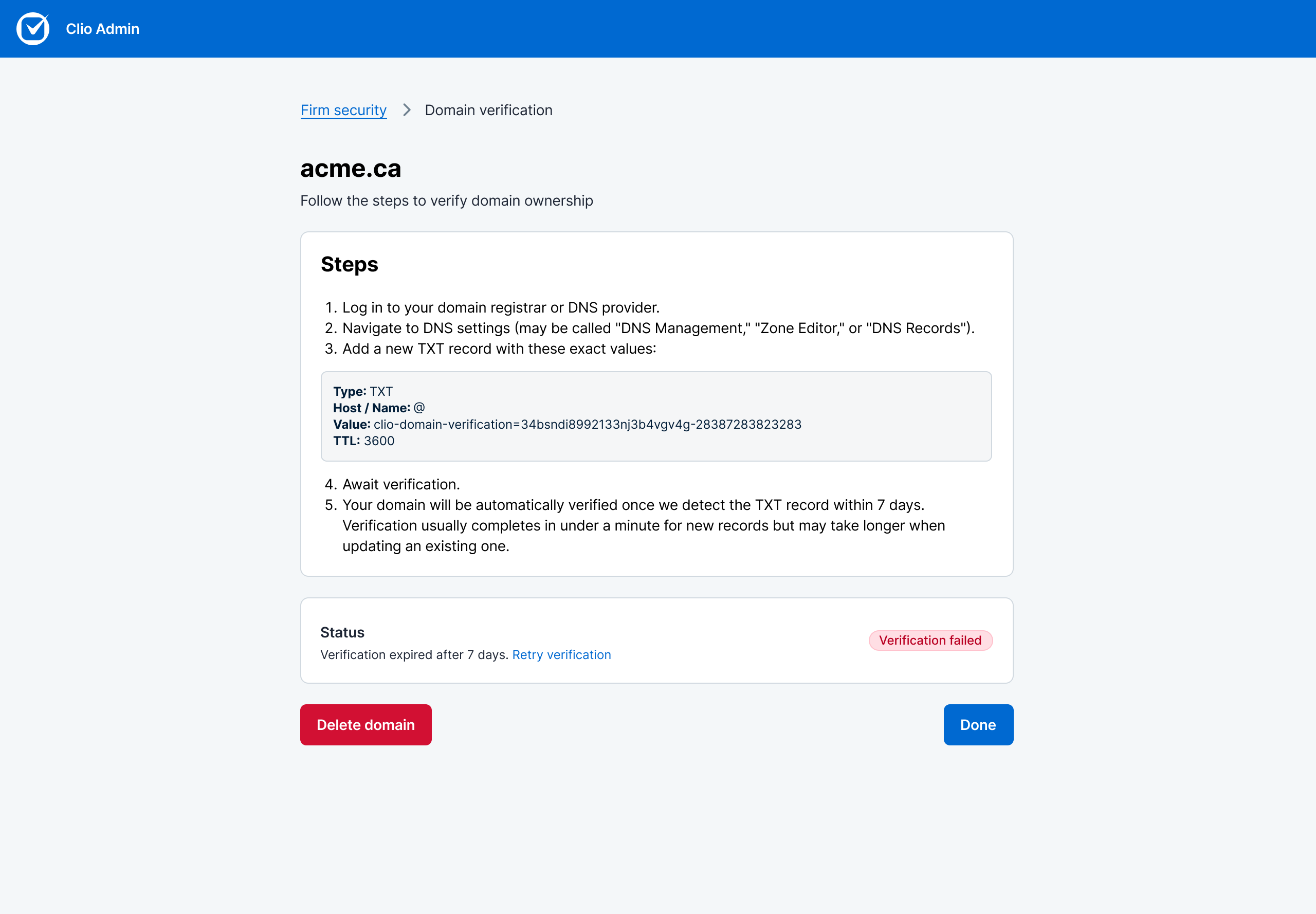
Few pilot users reported their domain verification failing. After some investigation, we learned that their verification process usually takes longer than 48 hours. To improve this experience, I proposed extending the verification window and providing more context on the details page. Post MVP, my hope is to add a button that allows user to easily retry verification when it fails.
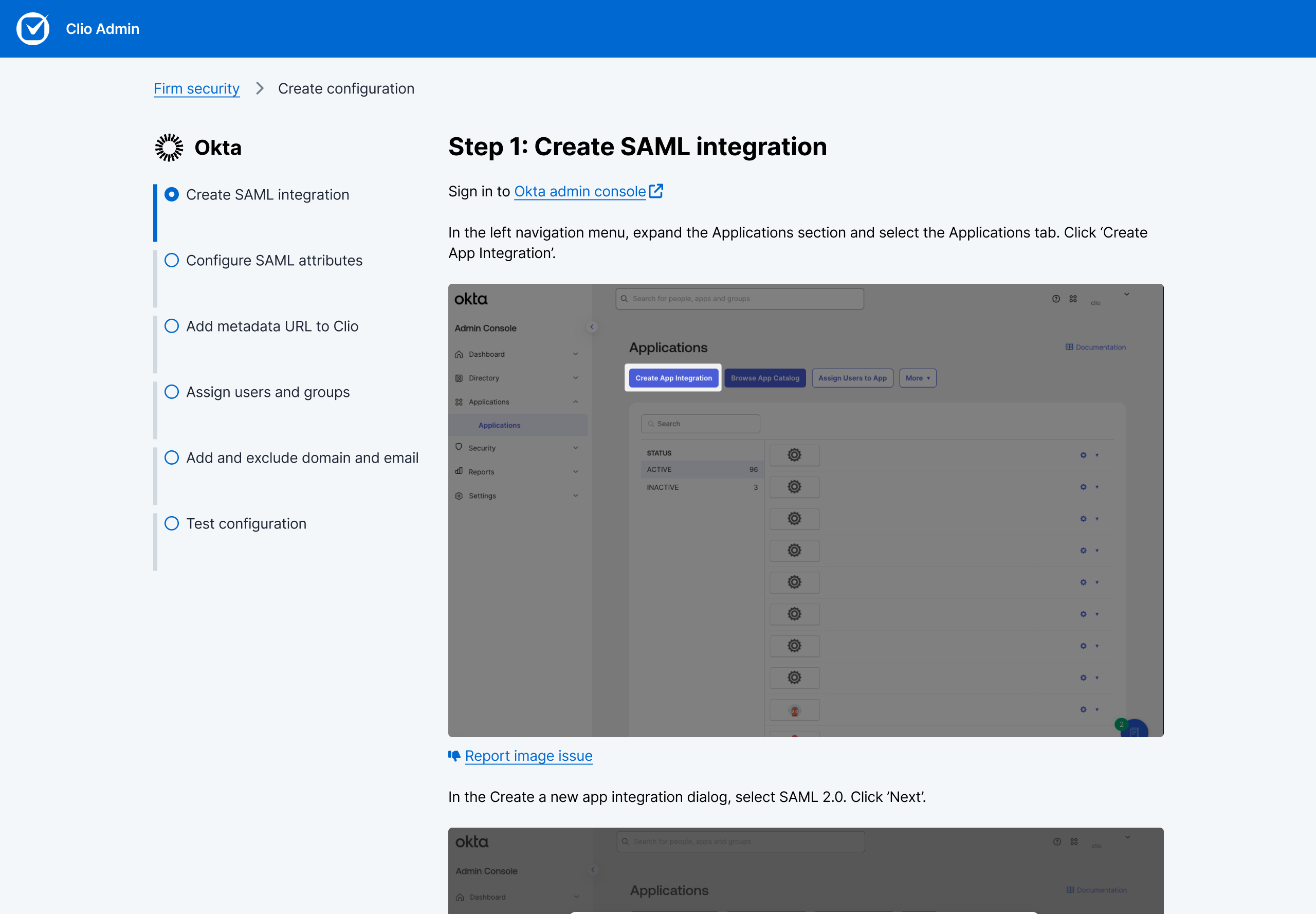
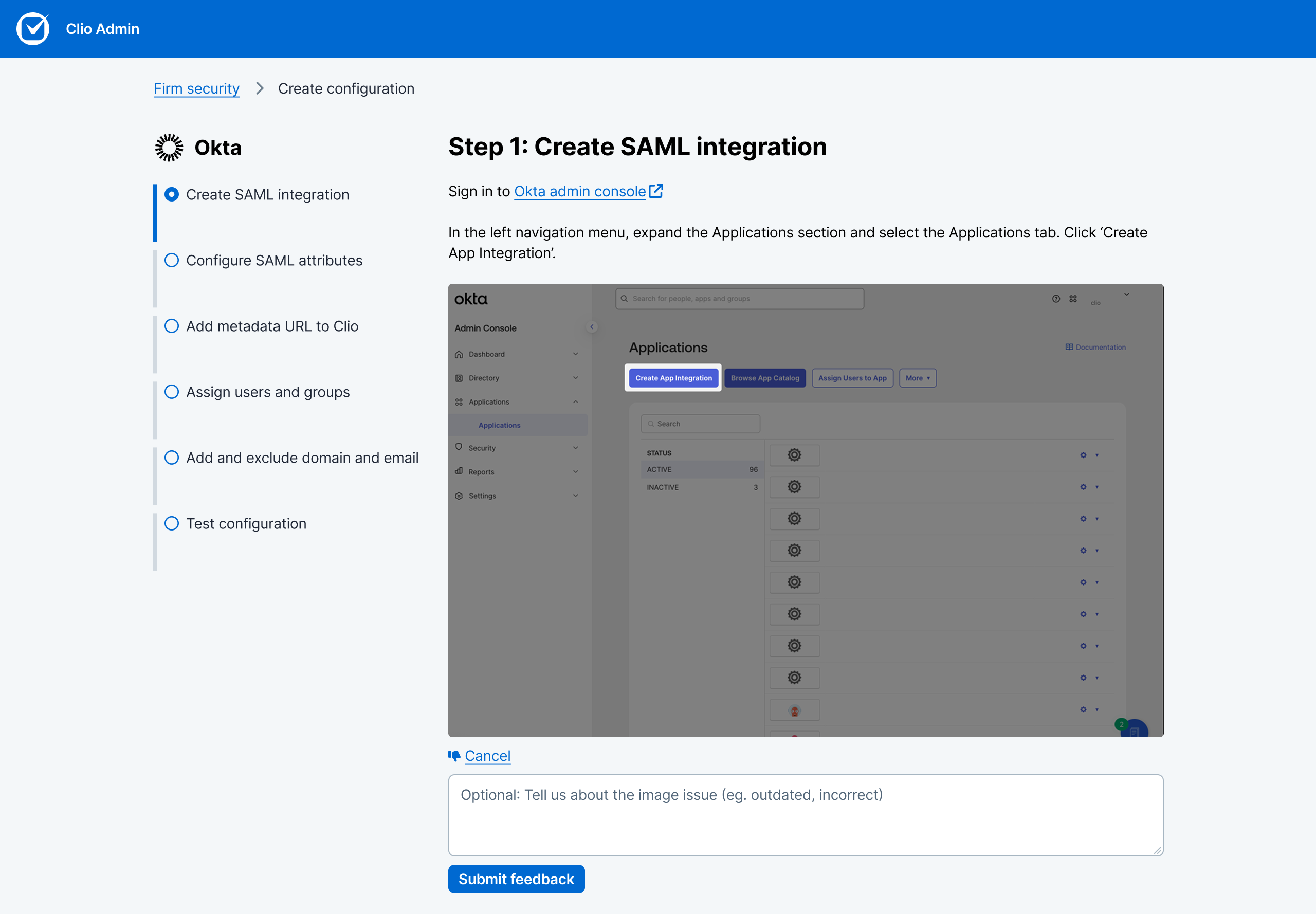
We added an ability to report image issues to keep the instructions up-to-date and accurate.
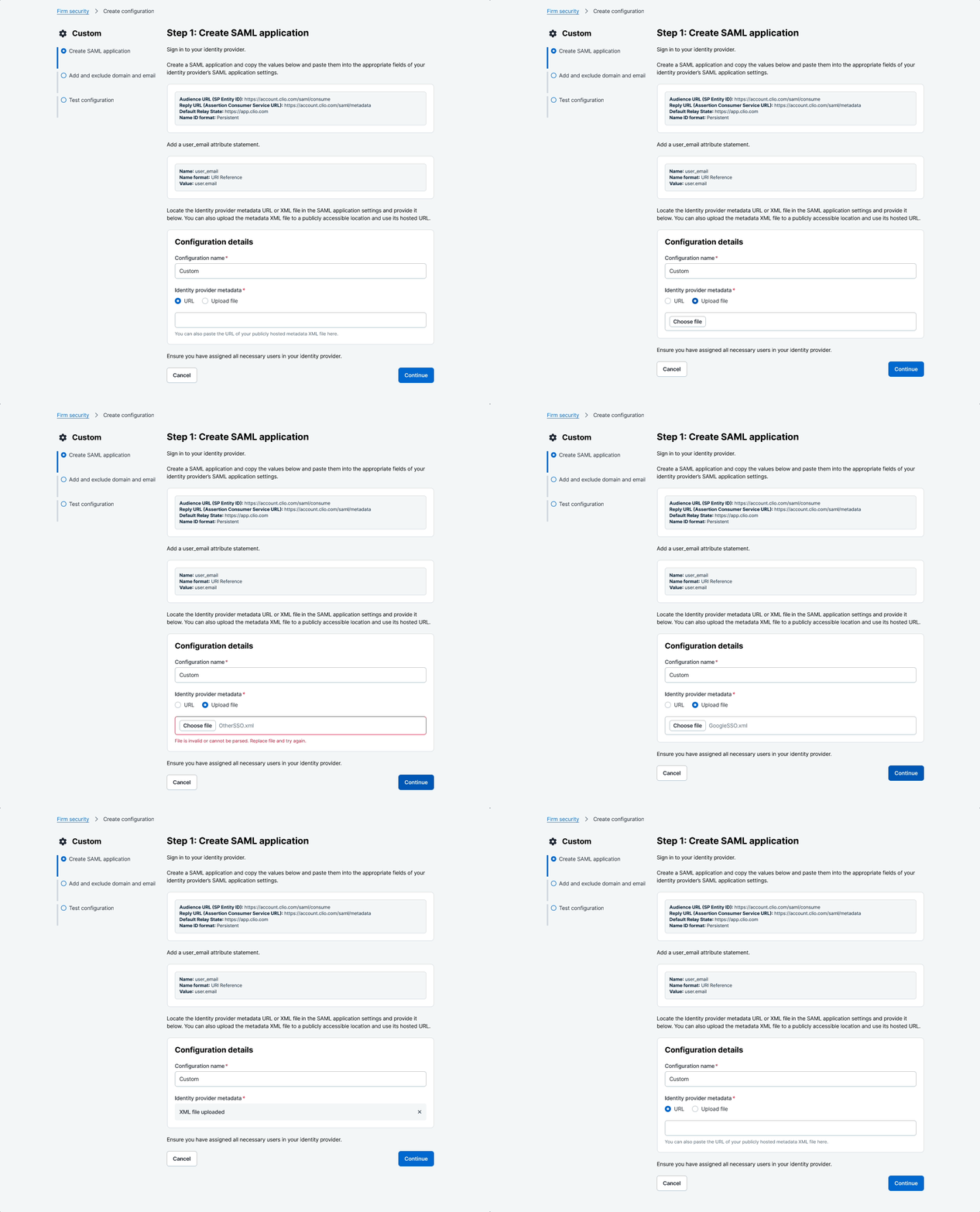
We started getting requests for allowing XML file uploads which is unique to Google and other providers. I paired with our dev in finding a solution that doesn't require a huge engineering lift. We landed on using a native file uploader that is restricted to XML files only and updating the content. I also shared our use case with Design System team as a consideration for our file uploader component.
➹
What I navigated

First project at Clio with zero organizational context
This was my first project at the company. I didn't know the domain, the design system, or the navigational patterns yet. I couldn't rely on accumulated context, so I built scaffolding through research: studied competitor SSO flows, interviewed internal IT for technical depth, and used AI prototyping to accelerate exploration.
The work became design-led by necessity. I used clarity and structure to define scope while the team and org patterns formed around me.

Frontend constraints surfaced late
Midway through, frontend support flagged feasibility blockers. I'd assumed Design System components were production-ready but they weren't.
How I kept the project moving:
• Looped in the Design System designer to unlock component solutions within timeline.
• Stayed in the build, reviewing beta repeatedly to catch drift and hold the quality bar.
• When cuts were proposed, I didn't default to "yes." I engaged in active push-and-pull, identifying what we could compress and. what would break the experience if removed.
• Held dedicated handoffs for Identity and Frontend Infrastructure teams.

Aggressive scope reduction
Identity didn't have a dedicated PM. The dev lead proposed cuts that would gut the UX: removing in-flow domain verification, collapsing fields, eliminating provider-specific flows—all to reduce build time.
I held the line. I maintained the quality bar and defined what an acceptable baseline looked like.
Post-pilot, I stayed engaged. I shipped low-effort, high-impact improvements: extended expiry windows, explicit error callouts, retry buttons. These changes significantly reduced domain verification errors.
I also wrote a collaboration framework post-launch, codifying what we learned into a reusable model for future platform work.
✶
Learnings
What I'd do differently: At kickoff, I'd set explicit collaboration norms outlining roles and decision-making authority, engagement cadence and communication preferences, and design documentation standards. Establishing these norms early prevents misalignment and creates the conditions for productive collaboration under pressure.